

Description
Program NISSAN FAST for Windows will consist from 9CD: EL1, EL2, ER, GL, GR, USA1, USA2, USA3 (INFINITI), CANADA and contains the full information on spare parts on all models, except for was issued for Japan and Spain.
The part of machines and minibuses of firm NISSAN was issued in Spain, are on a disk NISSAN SPAIN (SPAIN), it is the separate program with other environment. Machines and minibuses of firm NISSAN was issued in Japan, are on disks NISSAN (JAPAN), the environment of the program is similar NISSAN FAST, only all names of details are executed in the Japanese language. To orient in necessary disks, the mentioned below table will help.
The identifier of the manufacturer in VIN (first three symbols VIN)
- JN1 cars made in Japan
- VSK automobiles made in Spain (NMISA)
- SJN cars made in England (NMUK)
- JNK cars made Infiniti in Japan
- JN6 lorries and minibuses made in Japan for the USA and Canada
- JN8 multipurpose automobiles (minivans, jeeps) made in Japan for the USA and Canada
- 1N4 cars made in the USA (NMM)
- 1N6 lorries and minibuses made in the USA (NMM)
Since 03.2000 on disks goes simultaneously three versions of the program (DOS, WIN 16-bit, WIN 32-bit). At work from CD
The program NISSAN FAST for Windows will borrow 12Mb on the winchester, at full installation of all disks the program will occupy 3,2Gb. How correctly to establish the program completely on the winchester it is described in article " Effective work with program NISSAN FAST for Windows " .
Except for search of spare parts the program contains the utility for an estimation of damage after collision (the list of spare parts subject to replacement).
The list of "fast" keys duplicating buttons on the panel of the program.
- F2 the basic window of indexes of groups of spare parts
- F3 transition to figure under number of section (SEC)
- F4 search of figure under number and the name of section (SEC)
- F5 translation of number of a detail in figure in number of a detail
- F6 a seal
- F7 search of a detail or figure under the name
- F9 notes
- F12 clearing of the screen
- F11 an estimation of damage from collision
The program for simplification of work and installation of several programs NISSAN of different regions - ExFast
And as the instruction on installation and work with the program - to read! .
Other variant of installation of several programs NISSAN of different regions - Read!
What to do if to you it is necessary to work simultaneously with programs NISSAN various regions?
And all is very simple after installation of the program copy in directory WINDOWS a file NSFASTKY.INI (do not overlook to remove attribute read-only) - on this file, namely on the second and third line programs at start defines with CD what region to it it is necessary to work. Accordingly for replacement of disks it is necessary to change and this file entirely or the information in this file in a line "Destination=xx" Or to start the program with one CD - and at replacement by another to press "Ctrl+Alt+S" where
And to choose necessary CD. The line "Channel=1" is necessary for usual (1) models and infiniti (2)
At work with CD various versions - the program will automatically update an environment - that can will be reflected in work of out-of-date disks
Â
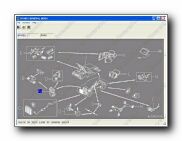
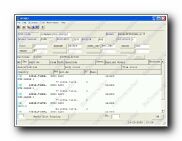
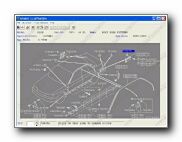
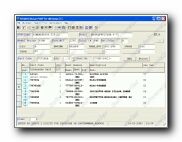
Screenshots
(You can click on the thumbnails for large view)
 |  |  |
 |  |  |
Year / Date of Issue: 2014/04
Version: 5.90
Developer: NISSAN
Language: English
Description: Electronic catalog of spare parts for NISSAN vehicles. Program for determining the original part number. You enter the VIN code of the car - the program "parses" it into parts, tells you the date of release of the car and offers only those spare parts that are installed on your car.
Extras. information: installs and works on WinVistax32, x64, Win7x64 Home Premium, Win7x64 Professional, Win7 x64 Ultimate. Run in compatibility mode with earlier versions of Windows. In this distribution only Nissan EL, GL, ER, GR, US, CA 04/2014
Size: 2,8 Gb Postal shipment or download by torrent


